 Little Snitch 4 Help
 Little Snitch 5 Help
 Little Snitch 6 Help
Suggestions
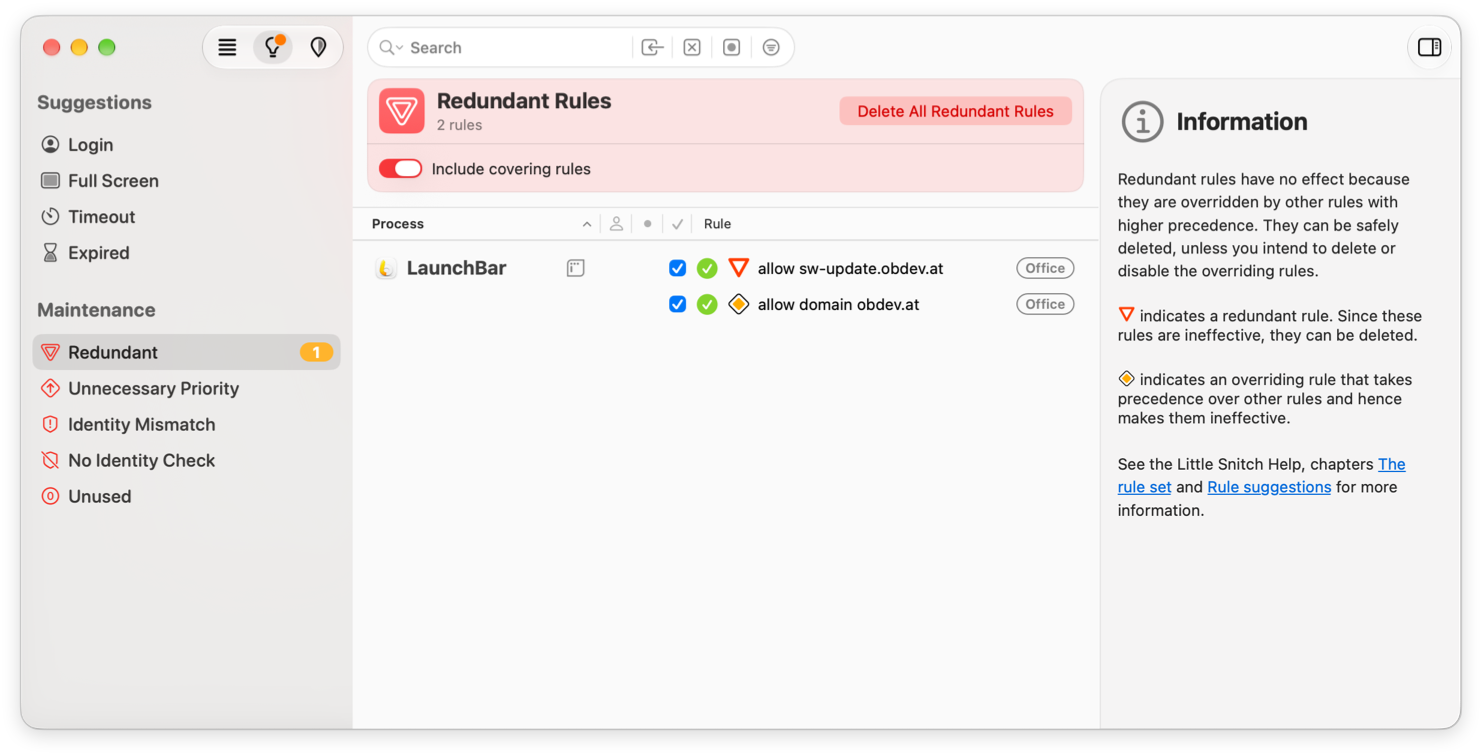
Rules pile up over time. Some become unnecessary, some were never quite right, and some connections were handled without your input. The Suggestions view of the Rules window helps you keep your rules in shape. Its sidebar has two sections:
- Suggestions lists rules that you may want to add.
- Maintenance lists rules that you may want to change or delete.
When you select an item in the sidebar, the list shows its rules, and the Inspector explains why they’re listed. The top bar above the list offers what you can do with these rules: for suggestions, Deny and Allow; for maintenance items, a single button with the most sensible fix, for example Delete or Decrease Priority.
Suggestions
Sometimes Little Snitch has to handle a connection without asking you, for example while you log in or while a game uses the full screen. It then creates a temporary rule on its own. By the time you open the Little Snitch app, most of these rules have expired. Little Snitch doesn’t throw them away, though, because they show you what happened, and some of them are worth keeping. It keeps them as suggestions, together with the temporary rules of your own that have expired.
A suggestion doesn’t allow or deny anything. To turn suggestions into rules, select them and click Allow or Deny. If you have many similar suggestions, group them with the menu in the top bar, for example by process or by domain, so you can turn a whole group into one rule.
- Login: Connections that occurred before or while you logged in to your Mac. Little Snitch can’t show connection alerts then, so it denied these connections.
- Full Screen: Connections of apps that use the full screen, as games often do. Little Snitch can’t show a connection alert on top of these apps, so it denied their connections until the app quit.
- Timeout: Rules from connection alerts that Little Snitch confirmed on its own after an alert timeout. Alert timeouts are off by default. To turn them on, use Settings > Alert > Confirm connection alert automatically.
- Expired: Temporary rules that you created yourself and that have expired.
Maintenance
This section lists rules that you can probably improve: rules that have no effect or an unnecessary setting, rules that are less safe than they could be, and rules that haven’t been used for a long time.
- Redundant: Rules that never take effect, because another rule matches every connection that they match, and that rule always wins (see precedence). Deleting them changes nothing, so you can click Delete All Redundant Rules, or select some and click Delete. There’s one exception: if you plan to delete or disable the rule that wins, keep the redundant rule, because it takes effect again then. To see the winning rules too, turn on Include covering rules.
- Unnecessary Priority: Rules with high priority that would win just as well with normal priority. The more rules have high priority, the harder it gets to understand why a particular rule wins. To lower their priority, select the rules and click Decrease Priority.
- Identity Mismatch: Rules that deny all connections of a modified process. Little Snitch created them when you chose Deny Any Connection in a process modification warning. If you find out that the change is legitimate, for example because the app was updated, select the rules and click Accept Modification. Little Snitch then removes the deny-rule, so the other rules for the process apply again.
- No Identity Check: Rules that don’t check the process identity, so Little Snitch can’t tell whether the program was modified since you created the rule. This includes Any Process rules that match untrusted processes. Wherever you can, select the rules and click Turn on Identity Check.
- Unused: Rules that haven’t allowed or denied a connection for a long time. Choose how long in the menu in the top bar, for example Unused for more than 3 months. Look through the list before you click Delete All Unused Rules, though: some apps run only once a year or even less often, and their rules are still useful.
© 2016-2026 by Objective Development Software GmbH